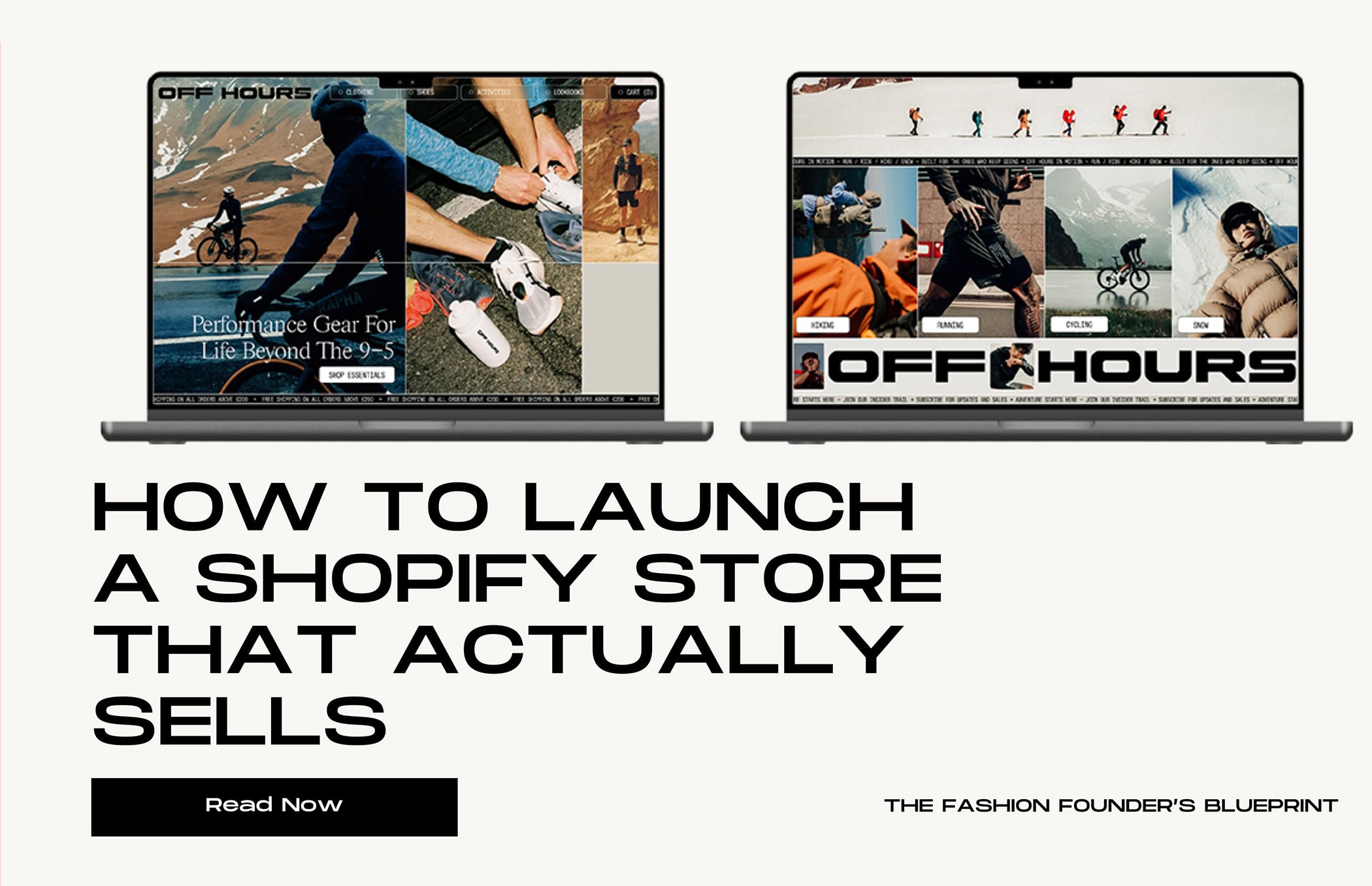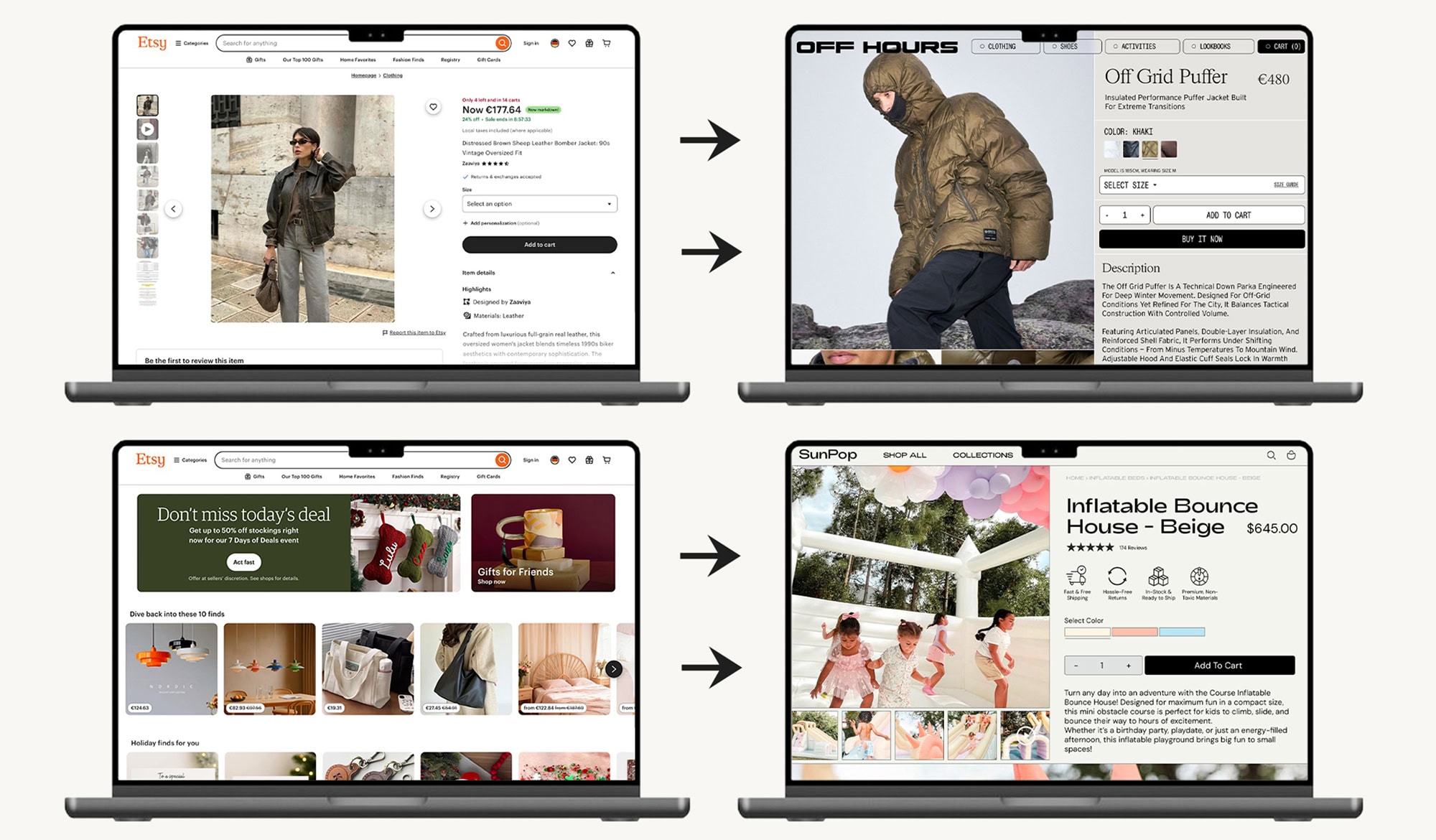
Etsy is great for starting. Shopify is great for scaling.
If you’re an Etsy seller, you’ve already built your products, reputation, and customer base. But if you want to stop paying Etsy fees, own your brand, and grow on your terms, it’s time to consider Shopify.
A Shopify store gives you full control over your storefront, product pages, and marketing. You can showcase your brand in ways Etsy can’t, run promotions, collect emails, and build long-term customer relationships. From Etsy shop to real brand — we help you build your first Shopify store.
Before jumping into syncing your Etsy shop with Shopify, it’s important to understand: you don’t have to link the two stores at all. Many successful sellers operate Etsy and Shopify independently. This approach gives you more flexibility to curate your Shopify store, highlight your brand, and control inventory and pricing. Syncing is optional, not required.
Why You Might Want a Branded Shopify Store
Moving beyond Etsy to Shopify opens up many opportunities:
- Own Your Brand: Shopify lets you control your website, visuals, and messaging. Your brand is not constrained by Etsy’s templates.
- Lower Fees, Higher Margins: You can avoid Etsy transaction and listing fees and keep more profit.
- Better Customer Relationships: Shopify lets you collect emails, run newsletters, and retarget customers — building loyalty beyond Etsy.
- Flexible Marketing: Shopify integrates with social media, ads, SEO, and other marketing tools to grow your audience faster.
- Custom Product Pages: Highlight your products in ways Etsy can’t — videos, storytelling, bundles, upsells, and tailored templates.
- Scalable Operations: Shopify works well for higher-volume sellers and multiple sales channels, giving you the infrastructure to grow without hitting Etsy’s limitations.
Think of Etsy as a launchpad and Shopify as a growth engine. Many sellers start on Etsy to test their products, then move their brand to Shopify when they’re ready to scale.
Step 1: Define Your Brand Identity
Before designing your Shopify store, take a step back and think about your brand as a whole:
- Your Story: Why did you start your Etsy shop? What makes your products unique? Customers love stories that connect them emotionally to a brand.
- Your Visual Identity: Logo, color palette, fonts, and photography style are crucial. Consistency builds trust and brand recognition.
- Your Voice: How do you communicate with your audience? Casual, playful, luxurious, professional? This tone should come through on product pages, emails, and social media.
By defining your brand clearly, you transform from “an Etsy seller” to a business customers recognize and trust.
Step 2: Build Your Shopify Store
Your Shopify store is the home of your brand. Focus on creating a professional, polished storefront:
- Homepage: Highlight your best products, your brand story, and any special offers. Make navigation intuitive.
- Product Pages: Use high-quality photos, videos, detailed descriptions, and storytelling. Consider bundles, upsells, and cross-sells to increase revenue.
- About Page: Share your journey, mission, and values. Customers connect with people, not just products.
- Blog & Content: Create content around your niche to drive organic traffic and establish authority.
Apps and Shopify features can also help: SEO optimization, social media integration, email capture, and loyalty programs.
Step 3: Marketing and Growth
A Shopify store gives you tools Etsy doesn’t:
- Email Marketing: Collect emails and send newsletters, promotions, and product launches.
- Paid Ads: Use Facebook, Instagram, Pinterest, or Google Ads to drive traffic to your store.
- Social Proof: Import Etsy reviews to your Shopify store to build trust with new customers.
- Upselling & Retargeting: Shopify allows you to offer upsells, cross-sells, and retarget visitors with abandoned cart emails.
By taking control of your marketing, you can convert first-time Etsy customers into repeat buyers on Shopify.
Step 4: Operations and Scaling
Scaling beyond Etsy requires planning your operations:
- Inventory Management: Decide if you want to manage Shopify inventory separately or sync with Etsy.
- Shipping & Fulfillment: Streamline fulfillment to save time and maintain customer satisfaction.
- Systems: Use apps, templates, and automation to handle orders, marketing, and customer service efficiently.
Even a small Etsy shop can become a professional, scalable brand with the right systems in place.
Syncing Isn’t Mandatory — Curating Your Brand Is
The single most important decision you can make when moving to Shopify is this: you do not have to sync your two shops.
Many sellers assume they must link their Etsy and Shopify stores, but this is a common misconception that leads to unnecessary complexity, cost, and risk. The most successful sellers treat their Shopify store as their premium, curated brand hub and Etsy as a discovery channel.
Think of it this way:
- Etsy: Your high-visibility, high-traffic lead generator for new customers.
- Shopify: Your branded headquarters where you drive repeat business, build loyalty, and showcase your full brand potential.
You can:
- Run Etsy and Shopify independently, keeping Shopify as a curated branded store.
- Import only selected products to Shopify.
- Bring in Etsy reviews manually or with a lightweight app for social proof, without syncing inventory or orders.
By keeping them independent, you avoid the headaches of inventory mismatches, duplicate listings, and expensive, complex full-sync apps.
What Is Possible With Etsy ↔ Shopify Integration
If you decide to integrate, third-party apps can help with:
- Inventory Sync: Keep stock levels aligned automatically.
- Product Import / Listing Sync: Import Etsy listings into Shopify with images, descriptions, and variants.
- Order Sync: Pull Etsy orders into Shopify for centralized fulfillment.
- Review Sync: Display Etsy reviews on Shopify to boost social proof.
How to Decide What to Sync
- Inventory: Prevent overselling if you want to manage both shops actively.
- Orders: Centralize fulfillment if you want to ship from a single location.
- Reviews: Import Etsy reviews to Shopify for social proof without syncing inventory.
- Full Listings: Automatically import all Etsy products — optional and may add complexity.
Partial vs Full Sync:
- Partial Sync (Inventory + Orders): Lower risk, lower cost.
- Reviews Only: Minimal cost, adds social proof without syncing inventory or orders.
- Full Sync (Inventory + Orders + Listings + Reviews): Higher automation but more cost and complexity. Best for high-volume sellers.
Final Thoughts
Moving from Etsy to Shopify is about taking control of your brand, your margins, and your growth.
Key Takeaways:
- Shopify lets you own your brand, reduce fees, and scale your business.
- Integration is optional; you can sync inventory, orders, reviews, or full listings depending on your needs.
- Start simple: add Etsy reviews to your Shopify store for social proof, then expand features as you grow.
- Run small tests to ensure everything works correctly before syncing large catalogs.
- Decide which aspects of your store to sync based on your goals, while seeking professional guidance.
By taking a thoughtful approach, you can enjoy the best of both worlds: Etsy’s marketplace traffic and Shopify’s branded freedom.
From Etsy shop to real brand, your Shopify store is the platform to showcase your story, scale your business, and build loyal customers. Start today and transform your Etsy side hustle into a full-fledged brand.



.jpg)